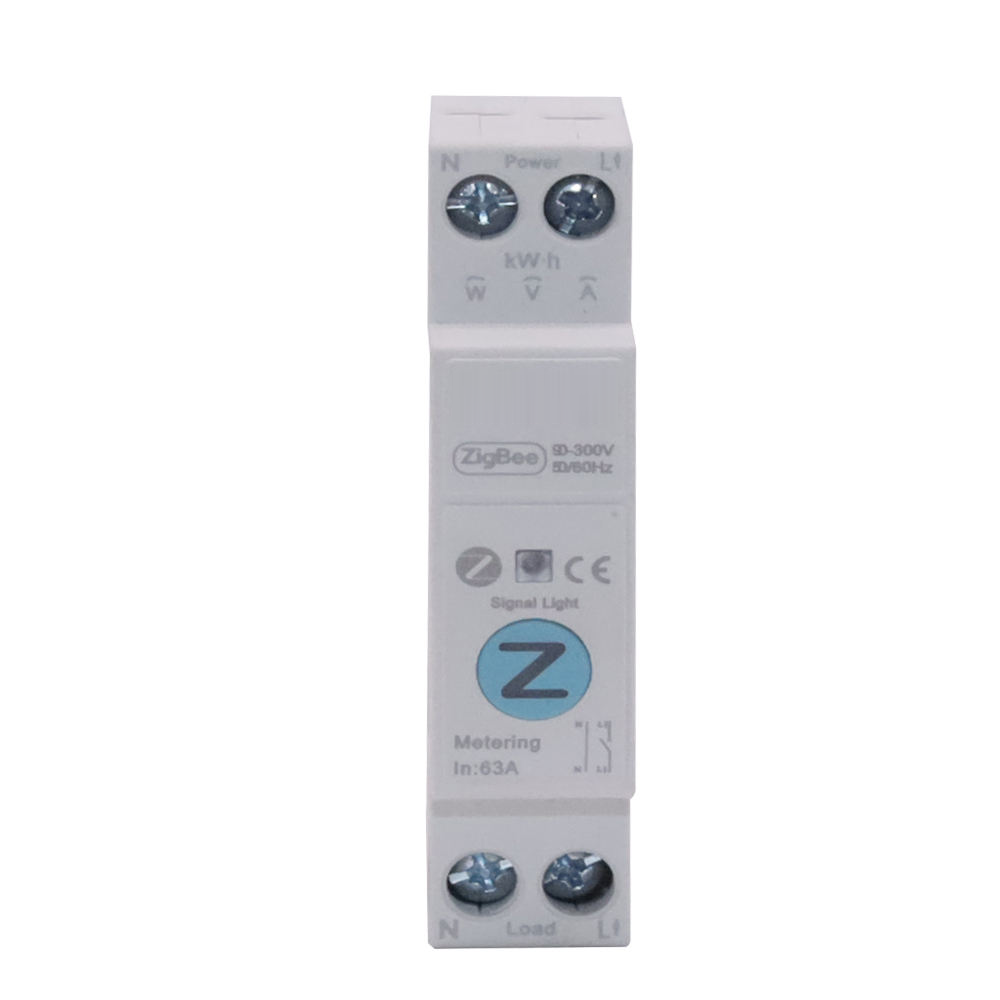
A smart breaker with an energy meter tells you how many units each circuit has used so far in the billing cycle, while there is still time to change it. That matters in Tamil Nadu because a TNEB bill is not a flat rate per unit: it depends on the total over a two-month cycle, and on whether that total crosses 500 units. A meter reading at the end of the cycle tells you what happened. Per-circuit metering during the cycle tells you what is about to happen, and which load is causing it.
How the TNEB slabs work
Tamil Nadu bills domestic supply every two months. The units used in the cycle are split into slabs, and each slab has its own rate. There are two regimes, chosen by the cycle total:
- 500 units or less: the first 200 units are free.
- Above 500: only the first 100 units are free, and every slab above that is charged.
These are the LT-1A domestic rates our TNEB bill calculator uses as its preset, from the published table effective 10 May 2026:
| Units in the cycle | Up to 500 units total | Above 500 units total |
|---|---|---|
| 1 – 100 | Free | Free |
| 101 – 200 | Free | ₹4.70 |
| 201 – 400 | ₹4.70 | ₹4.70 |
| 401 – 500 | ₹6.30 | ₹6.30 |
| 501 – 600 | — | ₹8.40 |
| 601 – 800 | — | ₹9.45 |
| 801 – 1000 | — | ₹10.50 |
| Above 1000 | — | ₹11.55 |
Tariffs are revised, and published tables do not always agree, so check these against the rates printed on your own bill. The calculator lets you edit every rate.
The 500-unit cliff
Look at what happens at the boundary. At exactly 500 units, the bill at these rates is ₹1,570. At 501 units it is about ₹2,048. One extra unit adds about ₹478, because crossing 500 moves the whole cycle into the higher regime: units 101 to 200 stop being free, and the units above 500 are charged at the higher slab rates.
That is why the question that saves money is not "how many units did I use?" but "where will I be on day 60, and what is pushing me there?" We worked through a full example of this in slab-aware bill prediction.
Why a house-level reading is not enough
The TNEB meter, or any single meter on the main supply, gives you one number for the whole house. It can tell you that you have used 320 units so far. It cannot tell you that the bedroom AC accounts for most of the increase since last week, or that the geyser has been running longer than it needs to.
To change the outcome, you need to know which circuit to change. That is the job of per-circuit metering.
What a smart breaker measures
The Smart Breaker + Energy Meter is a single-module DIN-rail breaker that switches a circuit and measures it at the same time:
- Live voltage, current and power on that circuit, so an unhealthy load shows itself before it fails.
- Consumption history by hour, day, month and year, per circuit rather than for the whole house.
- Switching from the app, on a schedule, on a countdown, on a repeating on/off loop, or by hand at the board.
It is rated 63A, 1P+N, for 100–240V AC, and comes in metering and non-metering variants. It pairs with the Nexomatic floor hub rather than a third-party gateway, so no vendor cloud account sits between you and your own distribution board.
Put metered breakers on the circuits that move the bill: the AC, the geyser, the borewell or sump pump. Those are the loads you can actually shift, and they are where a mid-cycle change makes a difference.
From readings to a warning before the cliff
The per-circuit kWh feeds the bill predictor in the Nexomatic app. It compares the units used so far, and the pace you are using them at, against your slab boundaries and your cycle dates. When your projection approaches the next slab, the app warns you, and shows which circuits are driving it.
The tariff lives in Settings → Tariff Config: slab boundaries and rates, monthly or bimonthly billing, and the free-unit allowance. Tamil Nadu is the default preset, and every value can be edited to match your bill, or your state's tariff if you are billed by another board. Our post on electricity slab tariffs by state explains how to read those numbers off any bill.
What you do with a warning is usually simple: raise the AC setpoint for the rest of the cycle, put the geyser on a schedule, run the pump on a timed countdown instead of leaving it on. The breaker can do the last two for you.
Setting it up
- Find your cycle dates. The bill period on your last TNEB bill tells you when the current cycle started.
- Check the rates. Compare your bill with the calculator and correct any rate that differs.
- Choose the circuits. Start with the two or three heaviest loads you can actually control.
- Install the breakers in the distribution board. This is electrician work on the mains, so we do it on the site visit.
FAQ
Does the smart breaker replace the TNEB meter? No. The TNEB meter is what you are billed on. The smart breaker measures individual circuits inside your home, so you can see which ones are using the units during the cycle.
Why does my bill jump so much after 500 units? Above 500 units in a cycle, only the first 100 units are free instead of 200, and units above 500 are charged at higher rates. At the calculator's preset rates, unit 501 adds about ₹478 on its own.
Can I switch a circuit off from my phone? Yes. The breaker can be switched from the app, on a schedule, on a countdown or on a repeating loop, and by hand at the board.
Are the slab rates in this post current? They are the calculator's preset, from the published LT-1A table effective 10 May 2026. Tariffs change, so always compare them with your own bill.
To see per-circuit metering on a real installation, book a survey visit (free in Coimbatore district) or call +91 75500 58208.