You do not need a cloud subscription to watch your home CCTV from your phone. A recorder at home can keep the footage on its own drive and still let you view it from anywhere. A cloud plan buys you something different: a copy of the footage stored outside the house. Whether that is worth a monthly fee per camera depends on what you are protecting against.
Two ways to keep footage
Cloud recording. Each camera uploads its video to the camera maker's servers. You watch and download it through their app. You pay a monthly fee, usually per camera, for as long as you want the recordings kept.
Local recording. The cameras send video to a recorder (an NVR) inside the house, which writes it to a drive. You watch it on the home network, and with the right setup, from outside too. There is no monthly fee for storage, because the storage is yours.
People often take a cloud plan for one reason: they want to view from their phone while away, and getting remote access to a home recorder has traditionally been fiddly.
What a cloud subscription actually gives you
- An off-site copy. If someone takes or smashes the recorder, the footage is still on the server. This is the real advantage, and the one reason a cloud plan can be worth paying for.
- Easy remote viewing without any setup on your router.
What it costs you:
- A fee that never ends, and multiplies with every camera you add.
- Upload bandwidth all day. Every camera is pushing video out of your home connection, whether anyone is watching or not.
- Your footage on someone else's servers, under their retention rules and their terms.
- No recording when the internet is down, unless the camera also records locally.
What local recording gives you
- No monthly fee. The drive is bought once.
- History set by your drive, not by a plan's retention period.
- Footage stays at home. Nothing leaves the house unless you are watching it.
- Recording continues through an internet outage, because the cameras and the recorder are on the same home network.
Where it falls short:
- The recorder is a single point of failure. If it is stolen or damaged, the footage goes with it. Mount it out of sight, not next to the front door.
- Remote viewing has traditionally been hard. It needed port forwarding or a public IP address, and many Indian broadband connections sit behind carrier-grade NAT (CGNAT), where port forwarding simply does not work.
That second problem is what pushes people onto cloud plans, and it is the one a local hub can solve.
Local recording you can view from anywhere
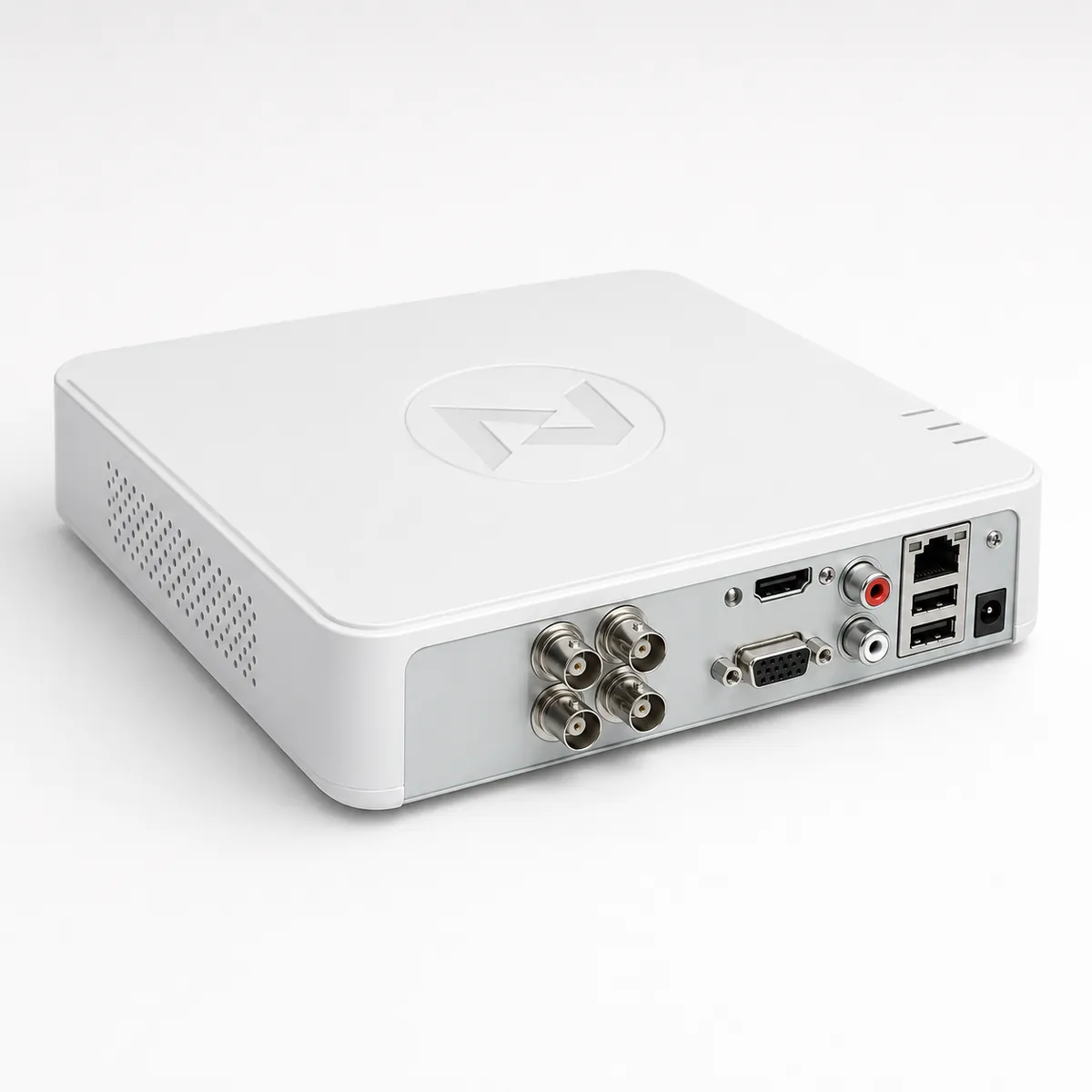
The Nexomatic Hub (CCTV) is a home NVR built to remove that trade-off:
- Recordings stay on a local 1 TB SSD at home. It keeps a 24/7 motion-triggered clip archive; a typical four-camera setup holds 3 to 5 years of motion clips, or 6+ months of continuous recording.
- View from anywhere without port forwarding. When you open a camera in the app, the Hub opens a secure tunnel through Nexomatic's relay, and closes it 30 seconds after you stop watching. It needs no public IP and works behind CGNAT on Jio, Airtel and ACT.
- ₹0 monthly cloud fee, for as long as you have the Hub.
- Use the cameras you already have. It works with ONVIF/RTSP cameras, including CP Plus, Hikvision, Dahua, Hi-Watch, Ezviz and Imou, up to 8 cameras, with no per-camera licence fee.
- Tamper alerts. If a camera goes offline, you get a push notification within 30 seconds.
- Optional AI detection. An AI add-on (₹2,999) adds person, vehicle and pet detection, so alerts come for what matters rather than every moving leaf.
- About 5 W of power, roughly ₹40 a month at ₹6 a unit.
Because the Hub sits in the same app as the rest of a Nexomatic home, cameras can take part in rules. Motion at the gate camera after 11 PM can switch the porch light on, for example.
Which should you choose?
- You want history and privacy, and no recurring cost: local recording, with remote viewing through a hub.
- You worry most about the recorder itself being taken: a cloud copy is the one thing that protects against that. Hiding the recorder well narrows the gap, but does not close it.
- You already have cameras on a cloud plan: if they support ONVIF or RTSP, they can record locally to a hub instead, and you can decide whether to keep the plan.
If you are planning a whole-house system, our smart home cost guide covers where CCTV fits in the budget, and the home automation in Coimbatore page lists what we install locally.
FAQ
Can I watch my cameras from outside the house without a cloud plan? Yes. A hub at home can open a secure connection when you want to watch. The Nexomatic Hub does this through a relay, so it works without port forwarding and on CGNAT connections such as Jio, Airtel and ACT.
Do I have to replace my existing cameras? No, as long as they support ONVIF or RTSP. CP Plus, Hikvision, Dahua, Hi-Watch, Ezviz and Imou cameras are supported.
Does recording stop when the internet goes down? Not with local recording. The cameras and the Hub are on your home network, so recording continues; only viewing from outside waits for the internet to come back.
What is the main risk of local-only recording? The recorder holds the only copy. Install it somewhere hidden so it cannot be taken along with everything else.
See the full specification on the CCTV Hub page, or book a survey visit (free in Coimbatore district) to have us check your existing cameras.